The Gateway Shield Faucet distributes 100 $OWN testnet tokens. You can request tokens once every 24 hours per wallet address.

How to use the Faucet

A simple guide on how to use the Gateway Shield Faucet to get your first tokens!
1

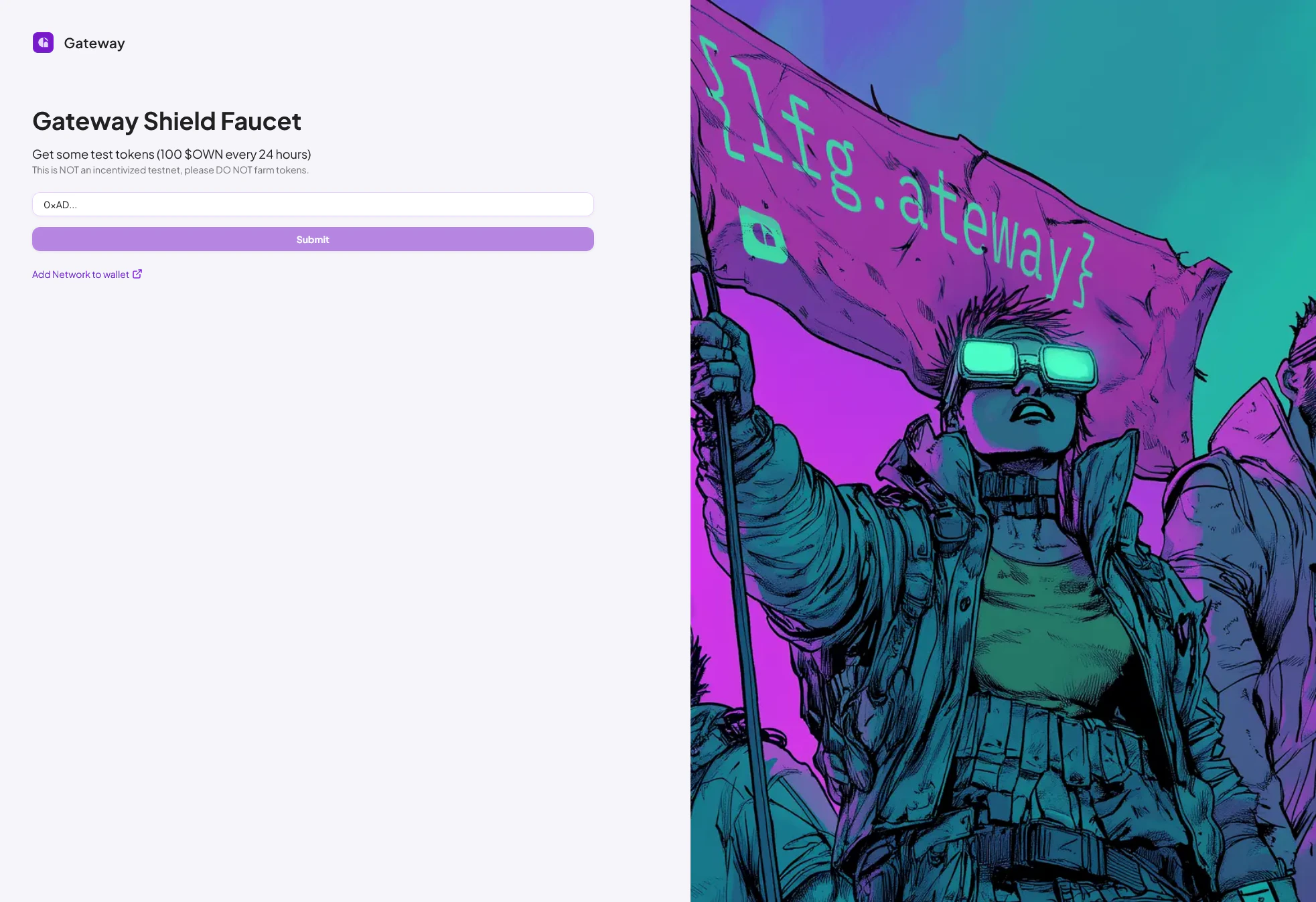
Go to the Gateway Shield Faucet page

Gateway Shield Faucet - Main Page
2

Add your Gateway Shield Testnet wallet address

This must be an EVM-compatible wallet address, as Gateway Shield is a Layer 2 EVM blockchain.
3

Request the tokens

You can now request the $OWN tokens. Note that you can only do this per wallet every 24 hours!
4

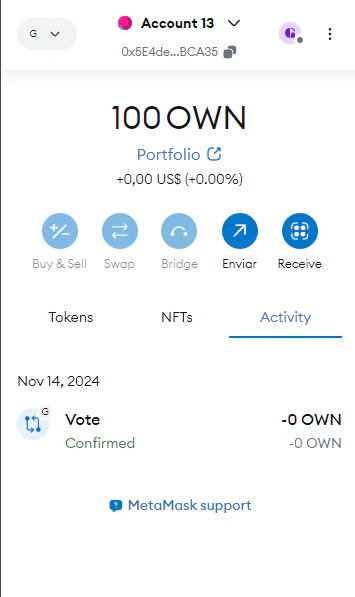
Check your wallet for the tokens

Open your wallet to see 100 $OWN testnet tokens airdropped to your wallet.Metamask wallet after
airdrop
Congratulations! You now have tokens and can start exploring the Gateway Shield testnet!